
Download Our App
Shop your way




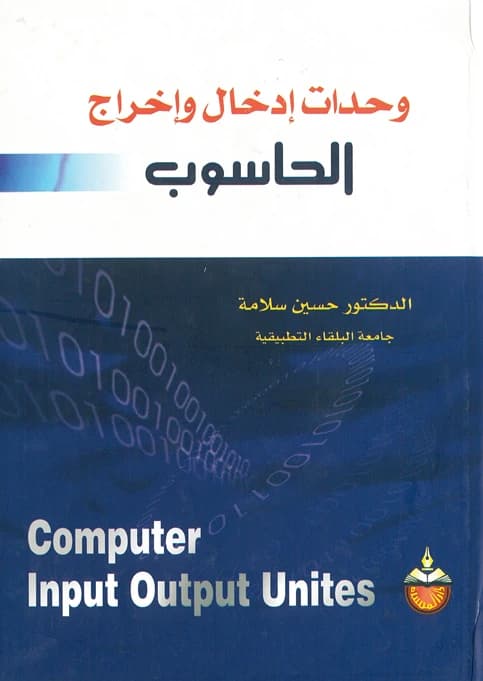
Computer Input and Output Units - Dr. Hussein Salameh - 2003
JOD

Get it by 5 Aug | Order in 3 Hours 29 Minutes
- Return Policy
- Warranty Policy
- Shipping Policy
- Non contact delivery
- Personal Receipt
- Return Policy
- Warranty Policy
- Shipping Policy
- Non contact delivery
- Personal Receipt
A computer can be fundamentally divided into two main parts:
- 1. The Central System Unit.
- 2. Computer Peripherals, which connect to the central system unit and are, in turn, divided into two main categories:
- a. Essential Computer Peripherals: These are accessories that complement the computer's operation, such as the display screen and keyboard.
- b. Non-Essential Peripherals: This is a group of accessories without which the device can still perform its function. Their presence is not mandatory and they are added to the device according to the user's needs.
Peripherals are usually separate from the central system unit and connect to it via cables through ports with two ends. These cables vary from one type of peripheral to another and also according to the number of pins on the adapter cards on one side and the peripheral on the other.
- 1. Physical Connection: This is the connection of the peripheral to the central system unit through a set of intermediary circuits and various ports.
- 2. Logical Connection: This represents the process of information transfer between the Central Processing Unit (CPU) and the intermediary circuits connected to the external peripherals.
The great and rapid development in the world of digital technology requires the use of advanced storage units, which are not limited to computer types, from supercomputers to microcomputers. Storage units are themselves a means of inputting and extracting information to and from the computer, and they also save information for a very long time, which increases the computer's memory efficiency for processing huge amounts of data in various fields of life: economic, scientific, commercial, etc.
At the beginning of the first and second generations of computers, paper media were used to save information for input and output, but such media had many drawbacks, the most important of which was the inability to store a very large amount of data. These media were also very expensive because they could not be used more than once mechanically for reading and writing information. With the advent of the third and fourth generations of computers, paper storage units became unsuitable for use, which led to the emergence of new media for data storage, the most common of which are magnetic storage units, magnetic disks, and laser discs (CD-ROM). Each of these units has its own advantages over the other in terms of its information capacity, storage density, and method of accessing information (i.e., reading information).
In this book, I have tried to mention the internal (primary) storage units located inside the computer on the motherboard, as well as the external (secondary) storage units, with a detailed explanation of the mechanical structure of the drives for these media and how they work as peripheral units. In addition, there is a presentation of the operating system for these peripheral units that links the computer and the storage units, through a presentation of a set of DOS operating system commands as the most common system used to date. In preparing this book, I have taken care to ensure the ease of presentation and to focus only on the scientific basics to cover the needs of a specific group of university students and specialists.
The most important features of a computer are its efficiency and speed in performing the functions required by the user. For the computer's performance to be outstanding, a set of matters and specifications must be available, some related to the user and others to the device itself.
- 1. Regarding the computer's properties, they can be summarized as follows:
- a. Computer's Fitness for Purpose: This means the computer's ability to perform the tasks assigned to it according to the specifications set by the manufacturer (in other words, as stated in its catalog).
- b. Reliability: This means the computer's ability to maintain its fitness for purpose during its specified period of use.
- c. Longevity: This property means the computer's ability to maintain its fitness for purpose for the longest possible time, with the possibility of downtime for maintenance periods.
- 2. Regarding the user, it can be summarized as follows:
- a. The necessity of placing the computer in the appropriate environment.
- b. Taking caution during computer startup, whether it's a warm boot (loading) or a cold boot (reloading).
- c. The necessity of protecting files in the computer's memory.
- d. Regular maintenance of the computer and its accessories.
Book Details:
- Number of Pages: 416
- Year of Publication: 2003
- Binding Type: Paperback
- Edition Number: 1
- Print Color: Black
- Dimensions (cm): 17x24
- Weight (kg): 0.750
- Barcode: 9789957061876







